

Best UGC video platform for SaaS in 2026
Picking the right UGC video platform for SaaS comes down to three things: video quality, how fast you can go from idea to published post, and whether the tool fits the way you already work.
agent-media generates realistic 9:16 UGC videos, actor, script delivery, captions, from a single command. It runs from a web app, a CLI, a REST API, SDKs, or directly inside AI agents via MCP.
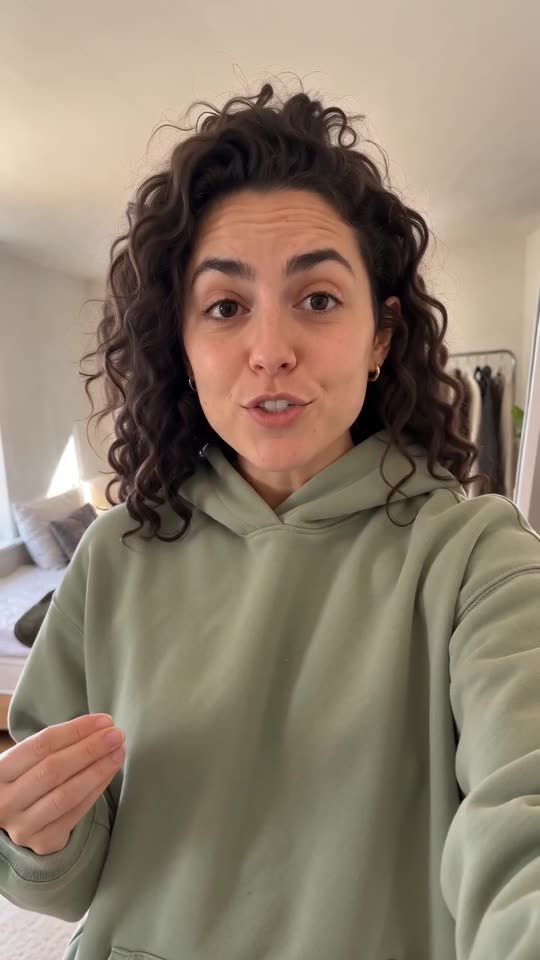 AI-generated
Why SaaS are switching to generated UGC
Demo videos go stale every release
Founders have no time on camera
Paid social needs fresh creative weekly
Comparing the top UGC video platforms
| Tool | API & SDKs | CLI | MCP (AI agents) | Pricing |
|---|---|---|---|---|
| agent-mediaUs | REST API + TypeScript and Python SDKs | Yes (agent-media-cli on npm) | Yes, hosted (api.agent-media.ai/mcp) | From $39/mo, one credit balance for video, image and voice |
| MakeUGC | API included in every plan | None found | Yes, hosted (mcp.makeugc.ai) | From $29/mo billed yearly (Starter) |
| Arcads | Public API, credentials under Settings | None found | Yes, hosted (mcp.arcads.ai), needs an active plan | Prices not listed on its site; 3-day free trial |
| Creatify | Self-serve API: $99/mo (Starter) or $299/mo (Pro) | None found | Yes, hosted (api.creatify.ai/mcp), uses plan credits | Web plans; API from $99/mo |
| Topview | Public API, usage-based credits | None found | Yes, hosted (mcp.topview.ai), not on the Unlimited plan | From $36/mo billed yearly (Plus) |
Checked 2026-10-17 on each vendor's own pages: MakeUGC MCP, MakeUGC API, Arcads MCP, Arcads API, Arcads CLI, Creatify MCP, Creatify API, Topview MCP, Topview API, Topview pricing.
How to create UGC videos with an UGC video platform
Tell the agent what you sell
“Make me a 10s UGC ad for what I sell.” A link or a product photo helps.
Pick the look
A creator talking to camera, your product in hand, or your app on a phone.
Get the video
A vertical MP4 lands in the chat. Ask for another hook any time.
Ask in plain words
“Make a 10s UGC ad for what I sell. A creator holding it, natural light.”
Get the video in the chat
Same credits as Studio. Download the MP4 and post it where you want.
Install the CLI and log in
npm install -g agent-media-cli && agent-media loginDescribe the actor and script
agent-media selfie \ --description "25yo woman, warm smile, natural look" \ --script "I stopped writing status updates because this tool writes them from my commits" \ --scene-action "at a desk with a laptop visible, gesturing at the screen" \ --duration 10Generate and download, captions optional
agent-media download <job-id>
Frequently asked questions
Best UGC video platform for SaaS?
How to create UGC videos with an UGC video platform?
How much does an UGC video platform cost?
Can I automate UGC video creation for SaaS?
Related guides
Generate your first UGC video
One CLI command for script, actor, video, and captions, or ask your AI agent.
First video free, no card